CAN Bus Reverse Engineering Skills (CSS Electronics)
Source
- Type: webpage
- Origin: https://github.com/CSS-Electronics/can-bus-reverse-engineering-skills
- Imported: 2026-06-29
- Images: 3 saved under
./assets/github-css-electronics-can-bus-reverse-engineering-skills/
Content
CSS Electronics publishes an open-source repo of Claude Code skills that help reverse engineer raw CAN bus data into decoding rules stored as DBC files. The workflow uses AI/LLM tools together with python-can scripts to identify which CAN ID and data bits encode a real-world value (speed, RPM, state of charge, and so on), derive start bit, length, endianness, scale, and offset, and verify the result.
The skills assume a CANsub CAN bus interface from CSS Electronics — either recording CSV log files via webCAN or streaming data in real time over USB/Ethernet.
Note: This is an illustration of how CANsub + Python + AI can be used for CAN sniffing, not a polished production tool. See also the related article CAN bus reverse engineering with AI.
Bundled skills
Three skills auto-discover when you open the repo folder in Claude Code (under .claude/skills/):
| Skill | Purpose |
|---|---|
| cansub-reverse-engineering | End-to-end workflow: survey → correlate → bitsearch → build DBC → verify |
| combine-dbc | Merge per-signal DBCs into one application-level DBC |
| cansub-knowledge | CANsub specs and API reference (hardware, REST/WebSocket API, protocols, tools) |
cansub-reverse-engineering
Deterministic Python script chain replaces manual "watch the screen for correlations." Supports three modes:
- Offline — decode from an existing log (CAN + OBD2 CSV, MF4/CANedge, webCAN CSV) using a separately decodable reference (OBD2 PID, CANmod.gps, CANedge GPS/IMU on CAN9). No hardware required.
- Live — capture from a CANsub with a human-supplied reference value.
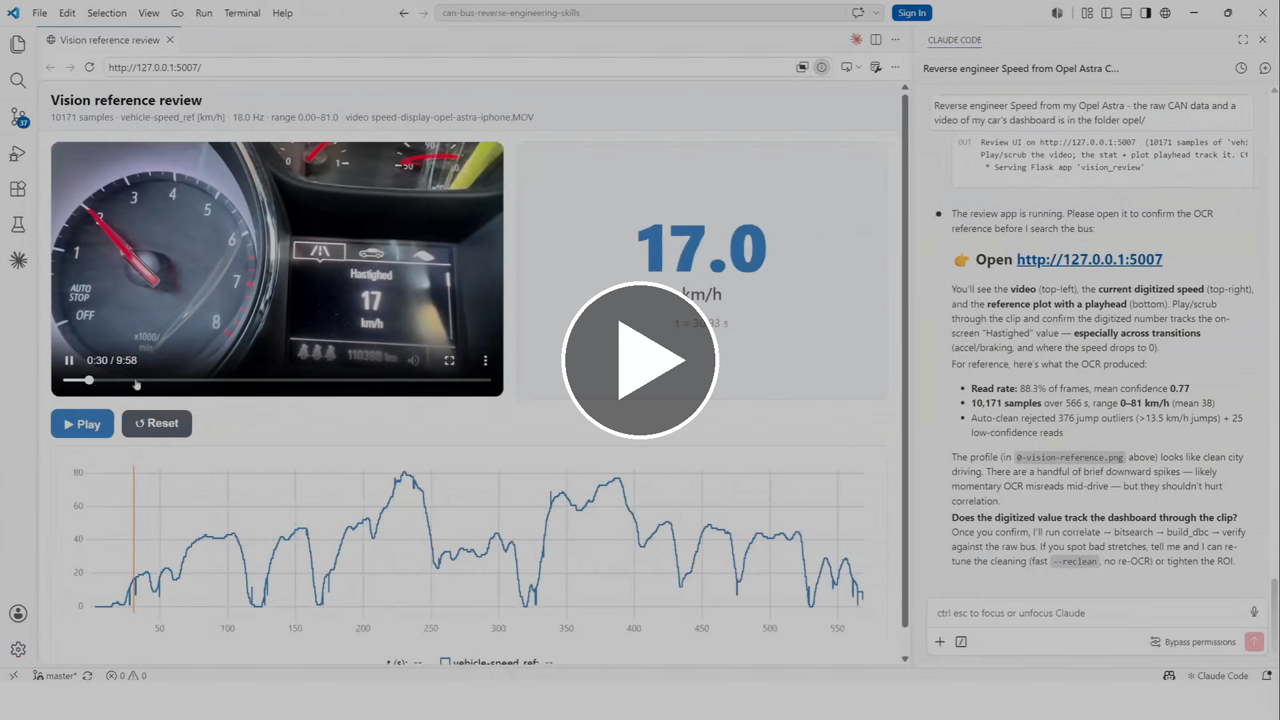
- Vision — user provides a CAN log plus a video of a dashboard/gauge display; local OCR digitizes the on-screen value as reference.
Targets plain, non-multiplexed CAN signals. Scripts never transmit data frames; capture.py connects in normal mode by default so the CANsub ACKs received frames (required for single-node sensor-to-CAN modules).
combine-dbc
Combines individual single-signal DBC files under decoding-output/<application>/<signal>/<signal>.dbc into decoding-output/<application>/<application>.dbc. Safe to re-run as new signals are confirmed.
cansub-knowledge
Authoritative reference for CANsub.2 and CANsub.4: hardware specs, REST/WebSocket API, bit timing, filters, connectors, firmware, higher-layer protocols (OBD2, UDS, J1939, NMEA 2000, CANopen, CCP/XCP), and software tools (webCAN, SavvyCAN, PlotJuggler).
Recommended hardware
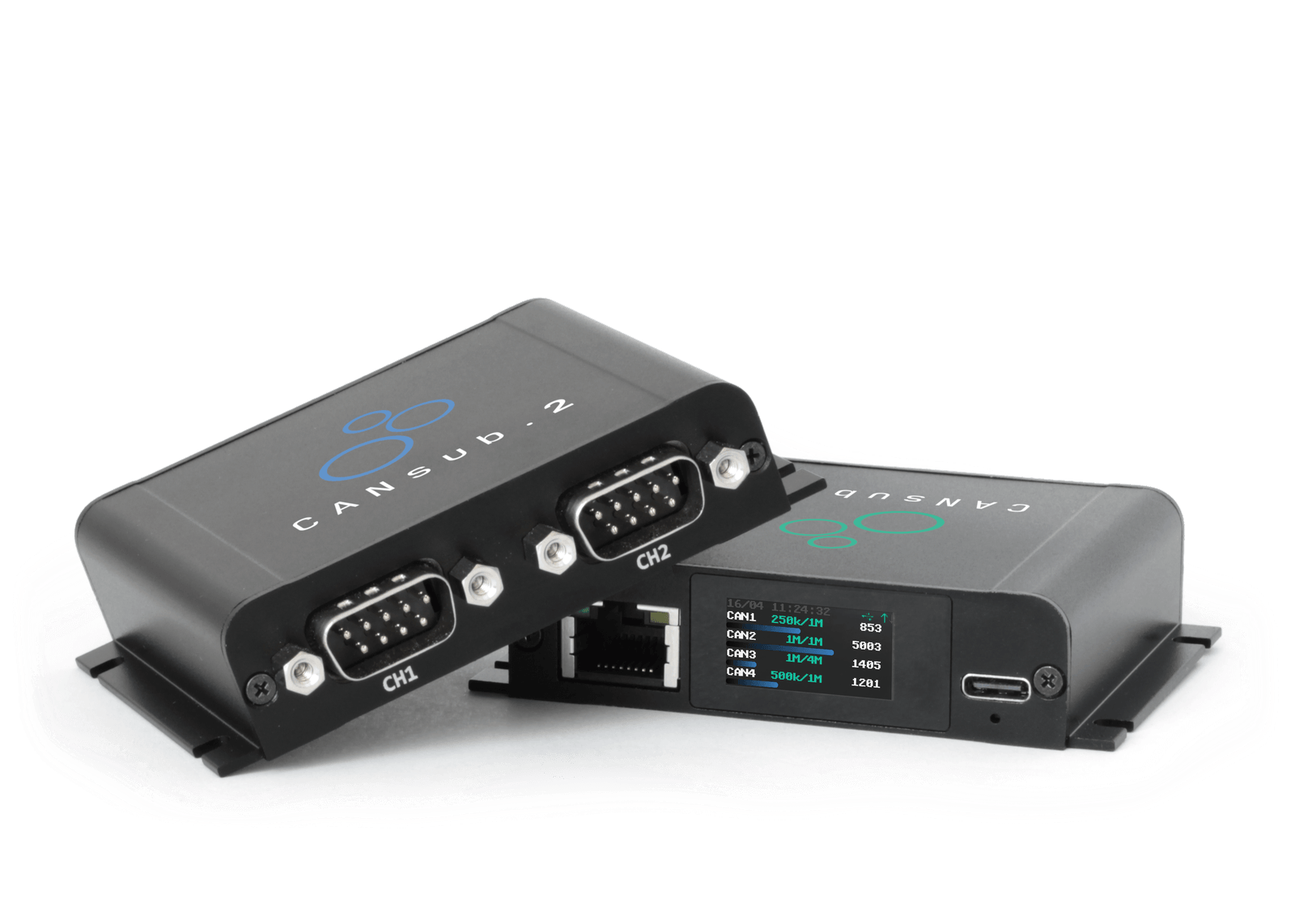
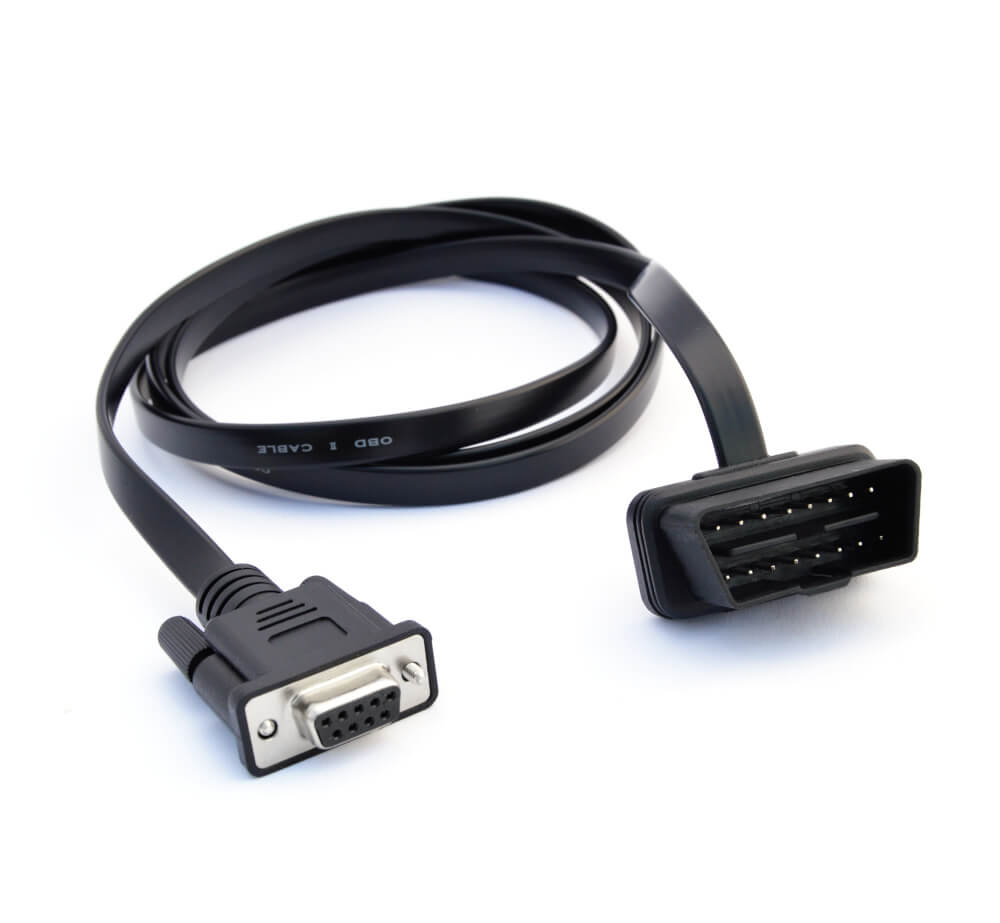
- CANsub.2 CAN FD interface with USB/Ethernet
- OBD2-DB9 adapter cable (optionally a contactless adapter)
Setup
- Clone the repo (or download the ZIP).
- Install Python 3.10+ — on Windows, tick "Add python.exe to PATH".
- Install dependencies into a local
.venv:- Windows: run
install.bat - macOS / Linux:
python3 -m venv .venv && .venv/bin/pip install -r requirements.txt
- Windows: run
- Claude Code — Claude Pro/Max subscription, VS Code, Claude Code extension, open the cloned folder so skills load automatically.
- Connect hardware — CANsub via USB, OBD2-DB9 cable to vehicle OBD2 port, engine or ignition on for live traffic. Verify streaming in webCAN first.
Example prompts
- "I've connected my CANsub to my car via the OBD2-DB9 cable. Help me check if there is live proprietary CAN data available — and then help me reverse engineer my door locks."
- "Reverse engineer Speed and RPM from the proprietary CAN data found in Mercedes-E350-2010-obd2-can.csv (contains OBD2 reference data)."
- "I have a CANedge log with proprietary vehicle CAN data plus the CANedge's internal GPS/IMU on CAN9. Use the GPS speed as the reference to reverse engineer the proprietary vehicle speed."
- "Help me reverse engineer Speed from my Opel Astra. I have put the raw CAN data in opel/ along with a video of the speed from my car's dashboard."
- "I have a gauge-to-CAN module with 8 gauges connected to my CANsub — help me reverse engineer the 1st gauge position signal."
Sample data: CANsub CAN+OBD2 sample data pack.
Output structure
Each confirmed signal is saved under decoding-output/, grouped by application and signal:
decoding-output/
  <application>/                         e.g. mercedes-e350/
    <signal>/<signal>.dbc                e.g. engine-rpm/engine-rpm.dbc
    <signal>/<signal>.png                verify plot (decoded vs reference)
    <signal>/analysis-plots/             survey / correlate / bit-search / fit plots
    <application>.dbc                     combined DBC across all signals
Ask Claude to merge decoded signals:
Combine the decoded DBCs for mercedes-e350 into a single DBC.
Load the combined DBC in webCAN and stream live from CANsub for real-time confirmation.
License
MIT License — free to use, modify, and distribute. Attribution appreciated: CAN bus reverse engineering with AI.
Key Takeaways
- Three Claude Code skills cover the full CAN reverse-engineering workflow: decode (
cansub-reverse-engineering), merge (combine-dbc), and hardware reference (cansub-knowledge). - Works offline from existing logs (OBD2/GPS reference), live with CANsub, or via dashboard video + OCR for vision-based reference.
- Output is per-signal DBC files under
decoding-output/, combinable into an application-level DBC for live decoding in webCAN. - Requires CANsub hardware for live capture; sample CSV data is available for testing without a vehicle.